

Every move, from the first call to the five-star review.
Haulbook runs the office, the customer page and the crew app for moving companies. Quote on the phone, book online, dispatch the trucks and get paid the same day.
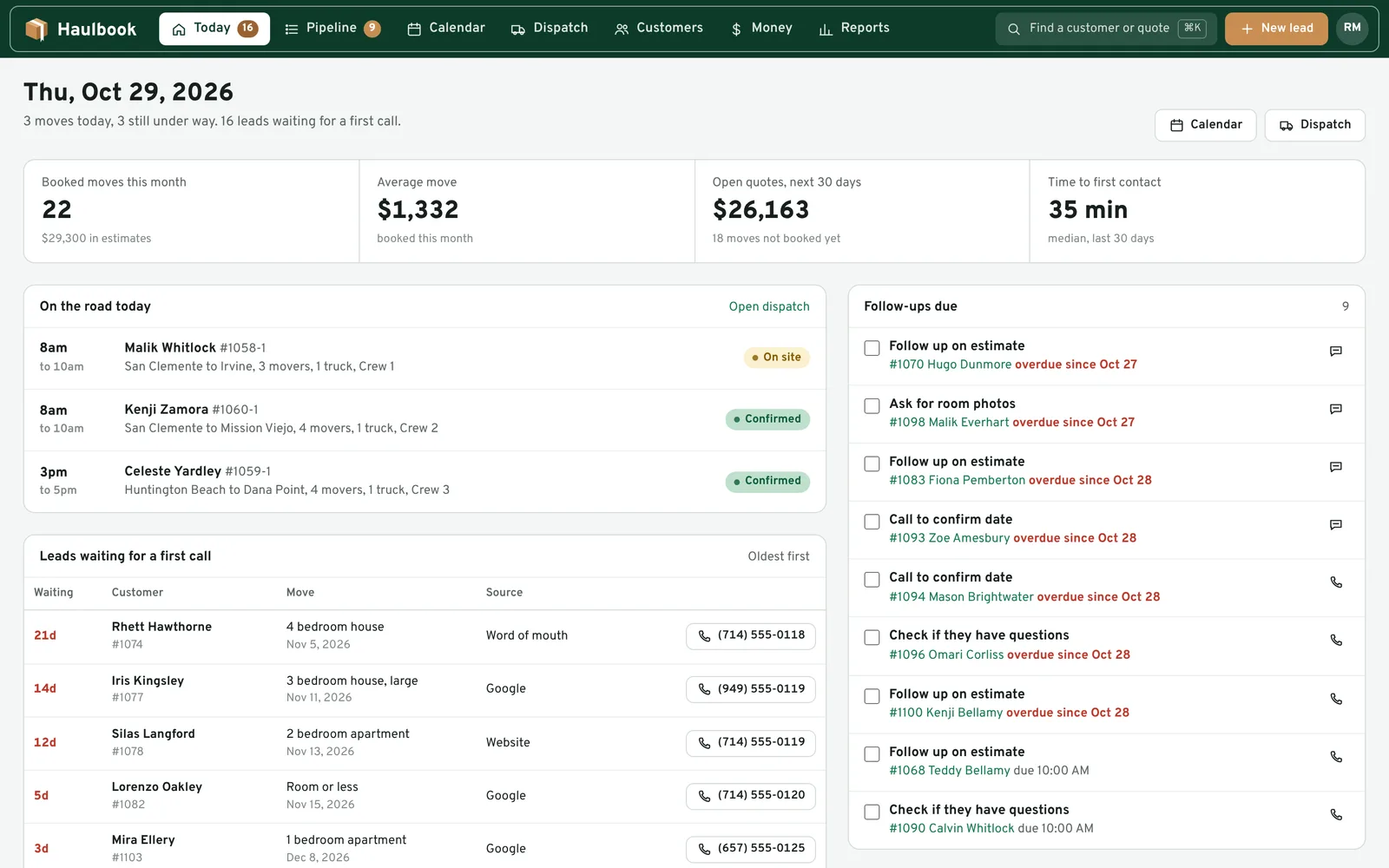
One move, start to finish
Follow a move through Haulbook. The office, the customer and the crew work on the same record, so nobody retypes an address or chases a deposit by text.
-
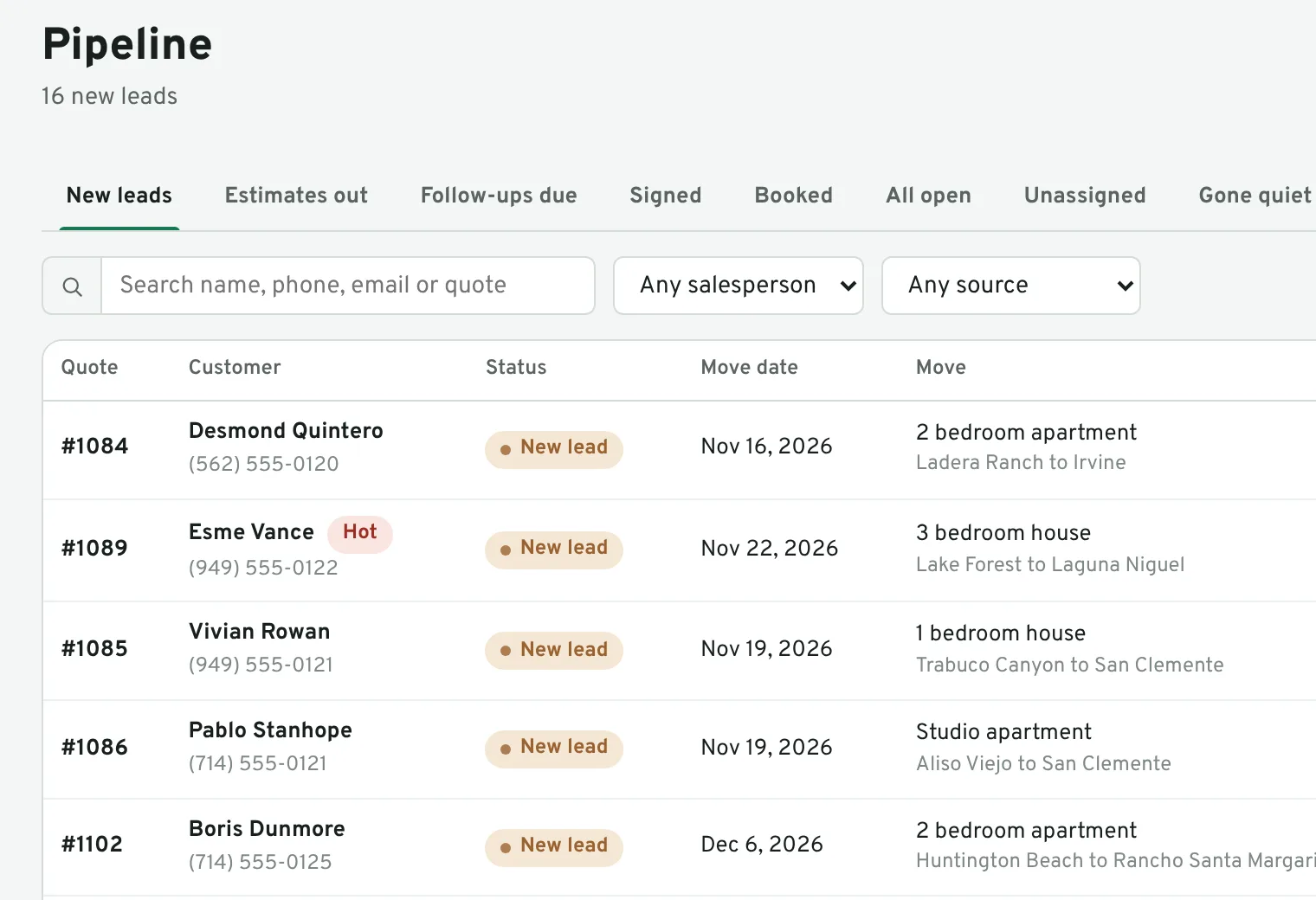
The lead comes in
Calls you log, the quote form on your website and leads you type in all land in one list, newest first. The customer gets a text and an email back right away, and your salesperson gets a heads-up.
-
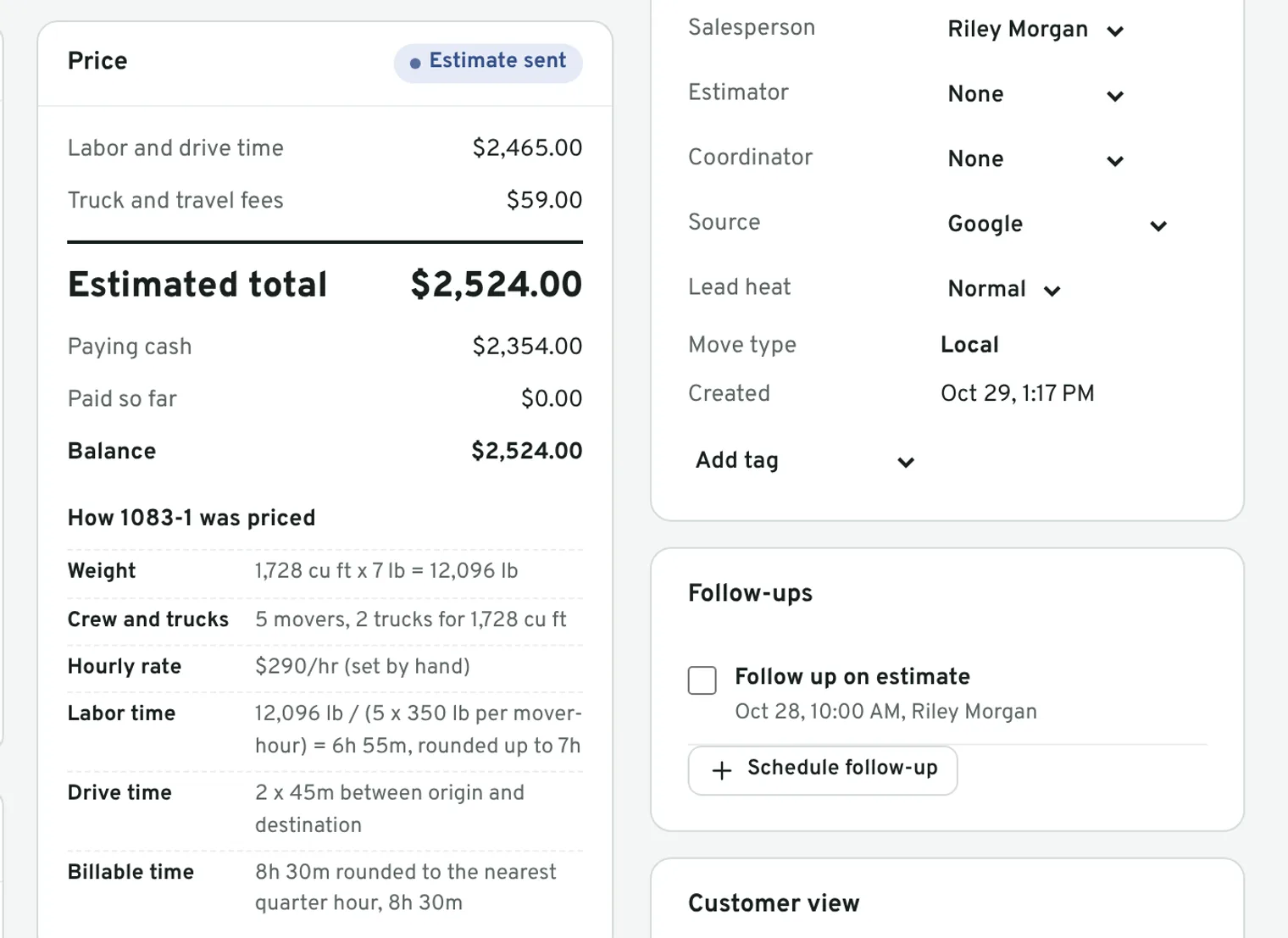
Estimate while they are on the phone
Pick the move size or go room by room. Haulbook works out the crew, the trucks, the drive time and the price from your own rates: hourly, not-to-exceed or flat rate, with materials and extra stops.
-
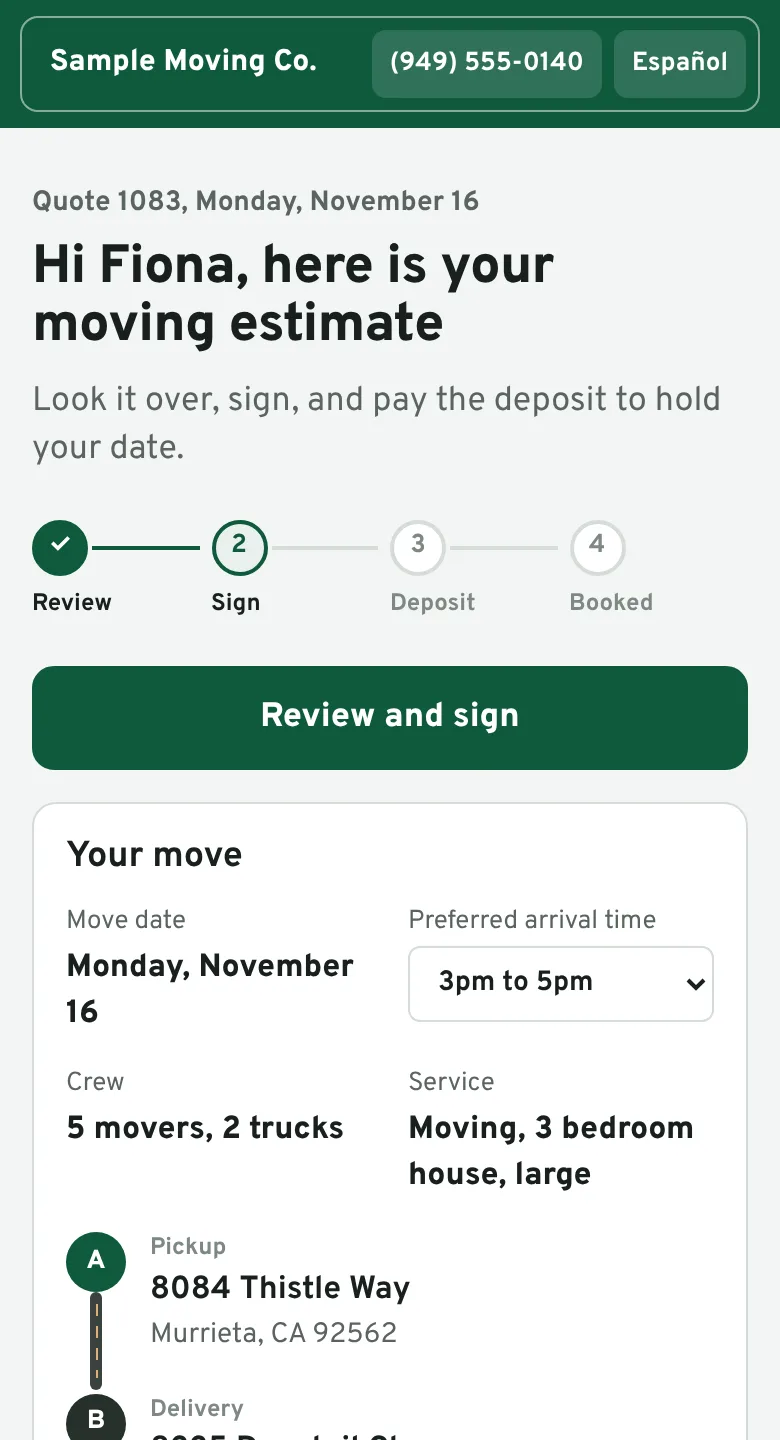
Signed and booked online
The customer gets their own page with the estimate, the paperwork and a Pay deposit button. They sign on their phone, pick an arrival window and send photos of the big pieces. The price locks the moment they sign.
-
Dispatch the day
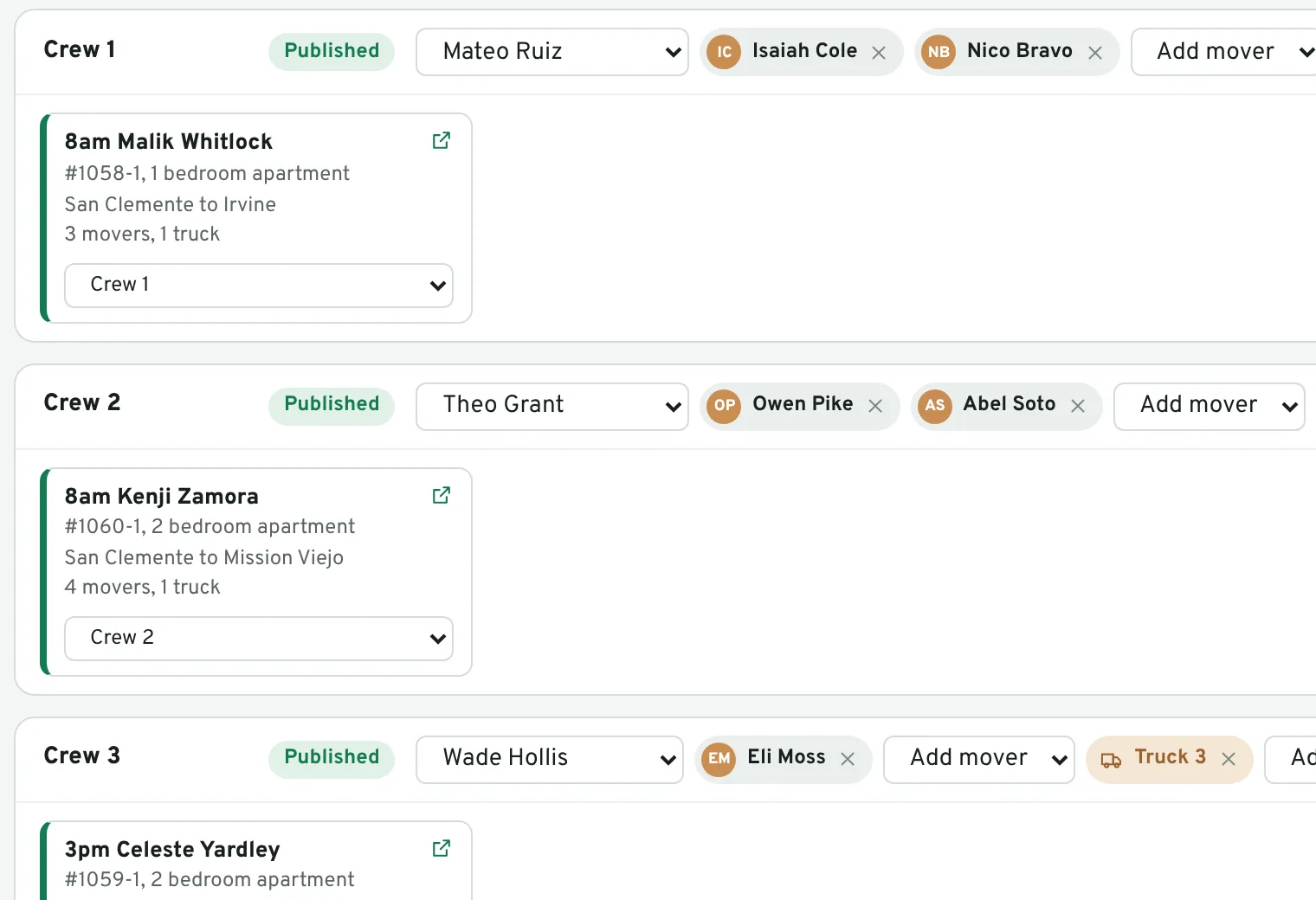
See every job, crew and truck for the day on one board. Drag a job onto a crew, check who is already booked, and send each foreman their schedule.
-
The crew runs the job from their phone
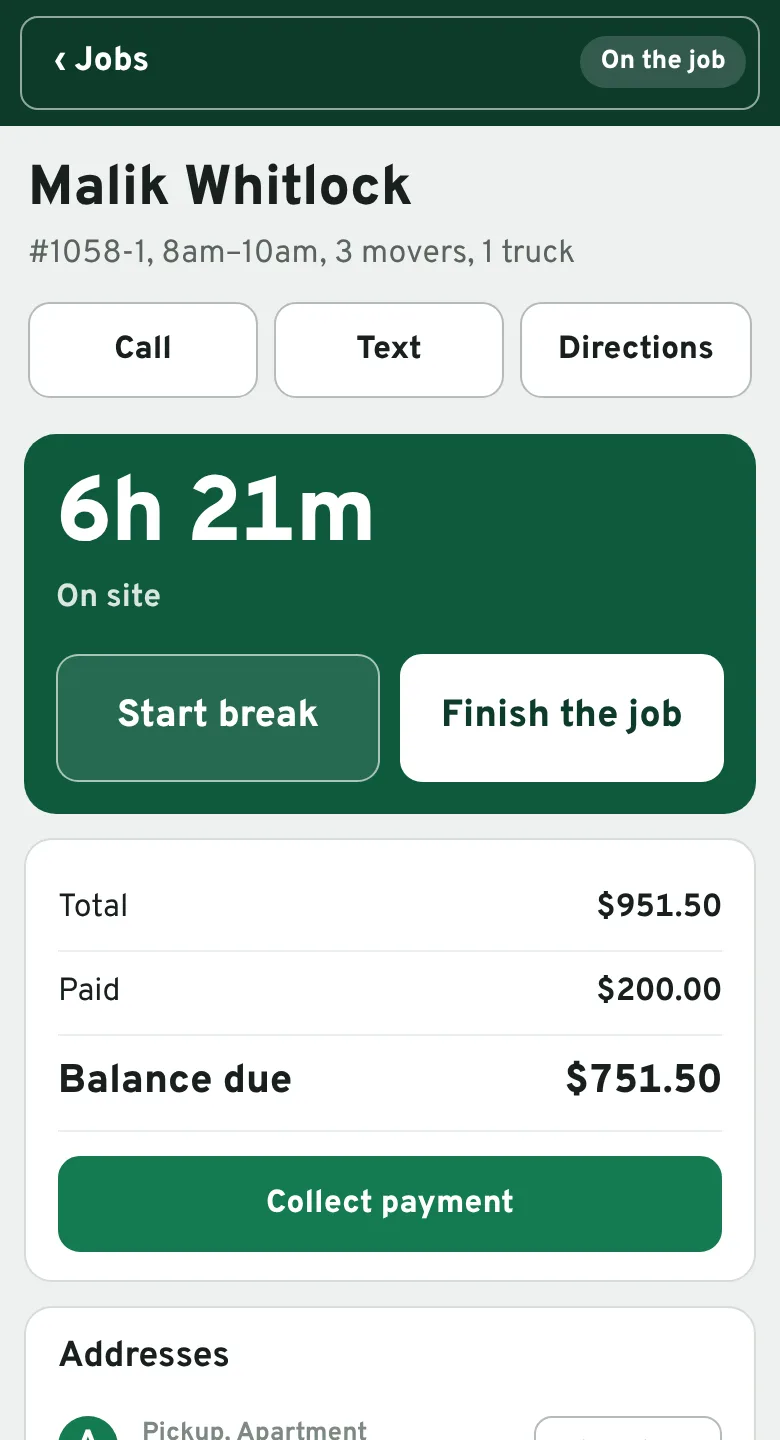
Crews sign in with their phone number and a PIN. They see the addresses and the inventory, text the customer when they are on the way, clock time and breaks, add a change order and get the customer's signature. In English or Spanish.
-
Paid and reviewed
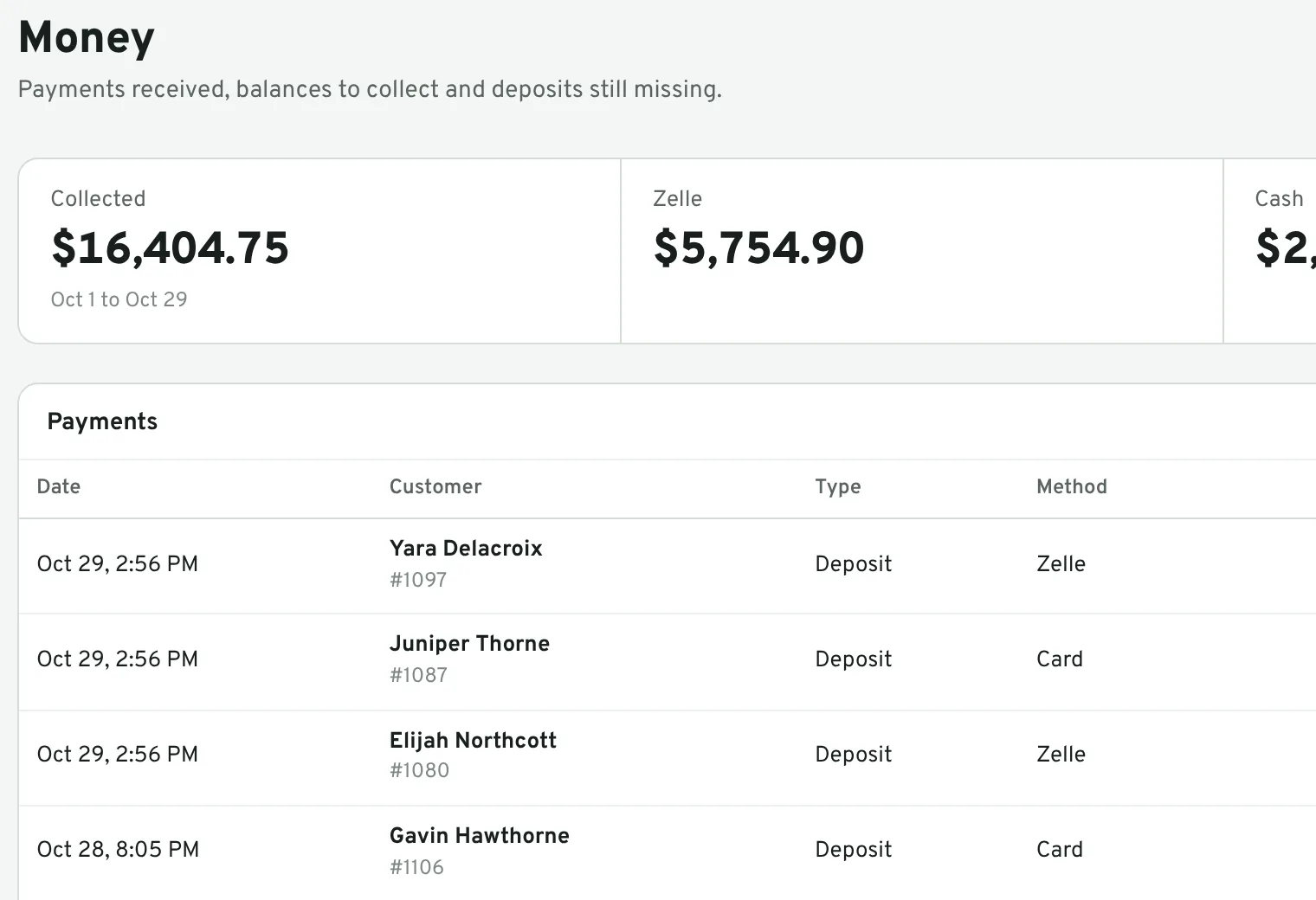
Take the balance by card, cash or check before the truck leaves. The customer gets a receipt and a thank-you with a link to leave a review, and you can see what came in and what is still owed.
Built around California's Max 4 rules
California household movers work under the CPUC's Max 4 tariff. Haulbook was built for California movers first, so the rules are in the product, not in a binder.
- Not-to-exceed and flat rate prices lock when the customer signs. Anything added on moving day goes on a change order the customer signs, and is billed on top of the cap, the way Item 120 describes.
- Time rounds the way you choose. Up to the next quarter hour, or Max 4's rule that 7 to 22 minutes counts as a quarter hour.
- The paperwork comes with the move. Estimate, agreement for moving services and invoice, with your license number and valuation options, signed online and kept with a fingerprint of the signed copy.
- Not in California? Every rule is a setting. Price hourly or flat rate, with your own minimums, fees and tax.
Haulbook helps you follow the tariff. You are still responsible for your own permits, rates and paperwork.
Bring your customers, or start clean
You decide on the day you move over. Nothing comes in until you have looked at it.
Bring them with you
Export from your current software or any spreadsheet as a CSV file. Haulbook matches the columns, shows you exactly what it will bring in, and saves only when you say so. Bring contacts only, or past and upcoming moves with their totals and payments.
Start with a blank book
Set your rates, trucks, crew and arrival windows, paste the quote form on your website, and take your first lead the same day. Your old system can wind down at its own pace.
Leave whenever you want
Download your customers, moves and payments as spreadsheets, or a full backup, any time from Settings. Your records are yours.
Pricing
Pricing depends on the size of your company. Book a demo and we will give you a number on the call, or try it free for a week first.
Questions movers ask
How long does it take to switch?
Most of the setup is your rate card, trucks, crew and message wording, and Haulbook starts you with sensible versions of each. A small company can be quoting the same day. Importing past moves takes a few minutes.
Can I bring my customers over from my current software?
Yes. Export a CSV from your current software, or from any spreadsheet, and import it in Settings. You can bring contacts only, or full move history with totals and payments. Haulbook shows you a check run before it saves anything.
What happens when the free week ends?
Your account pauses and nothing is deleted. Talk to us and we turn it back on with everything where you left it.
Do texts and emails come from my company?
Yes. Connect your Quo (formerly OpenPhone) or Twilio number and texts go out from it, with customer replies showing up on the move. Emails show your company name as the sender, and replies go to your own inbox.
Can customers pay online?
Yes, by card, once you connect your own Stripe account. Deposits and balances go straight to you. Cash, check, Zelle and Venmo payments are recorded on the move too.
Does my crew need to install an app?
No. The crew app opens in the phone's browser and can be added to the home screen. Crew members sign in with their phone number and a PIN, in English or Spanish.
Who can see our customers?
Only the people you add to your company. Each company's records are kept apart, passwords are stored scrambled, and you can download everything at any time. The Haulbook team can turn an account on or off and reset an owner's password when you ask, and every change we make is logged.
See it, or try it
Book a walkthrough with us, or set up your company and use Haulbook free for 7 days.
Free weeks are closed right now
Book a demo and we will set you up ourselves.